Task Management Software to Assign, Track & Complete Work Faster
Create tasks, assign them to the right person, set priorities and due dates, and track progress in one place so sales work never depends on memory or scattered chats.
What is Task Management in 91Leads CRM?
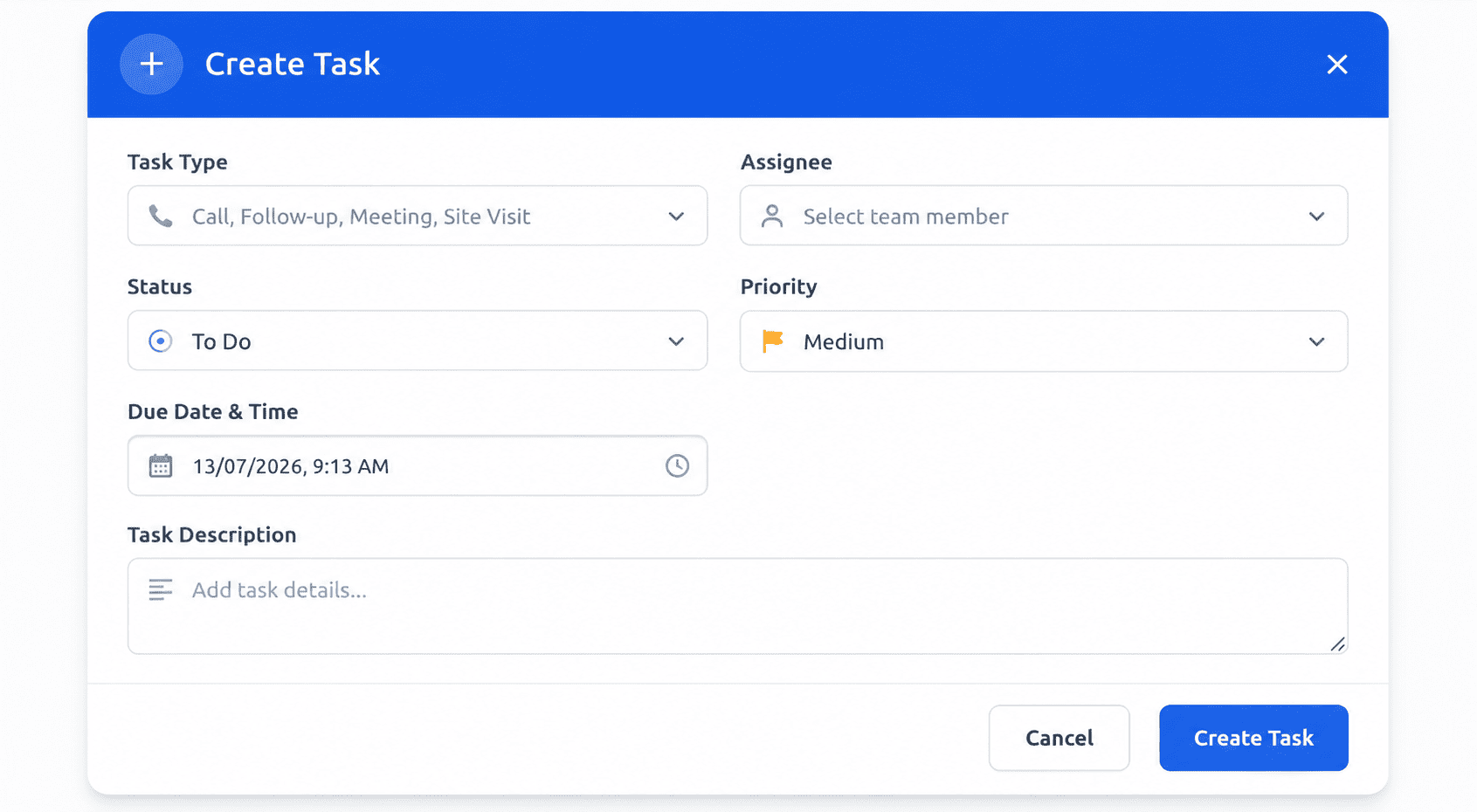
Task Management in 91Leads is a shared workspace for your team’s daily action items. Instead of notes, WhatsApp reminders or mental to-do lists, every callback, site visit, document request and follow-up lives as a clear task with an owner, priority, due date and status.
1. Create the task
Add a task type, description, priority and due date so the next action is clear from the start.
2. Assign an owner
Hand it to the right teammate. They get notified and see it instantly under My Tasks.
3. Track to done
Move tasks through statuses until completed, so managers always know what is moving and what is stuck.
Built for How Sales Teams Actually Work
From urgent callbacks to longer follow-ups, 91Leads gives your team a simple way to own work, update progress and stay aligned without extra tools.
Assign Tasks to the Right Person
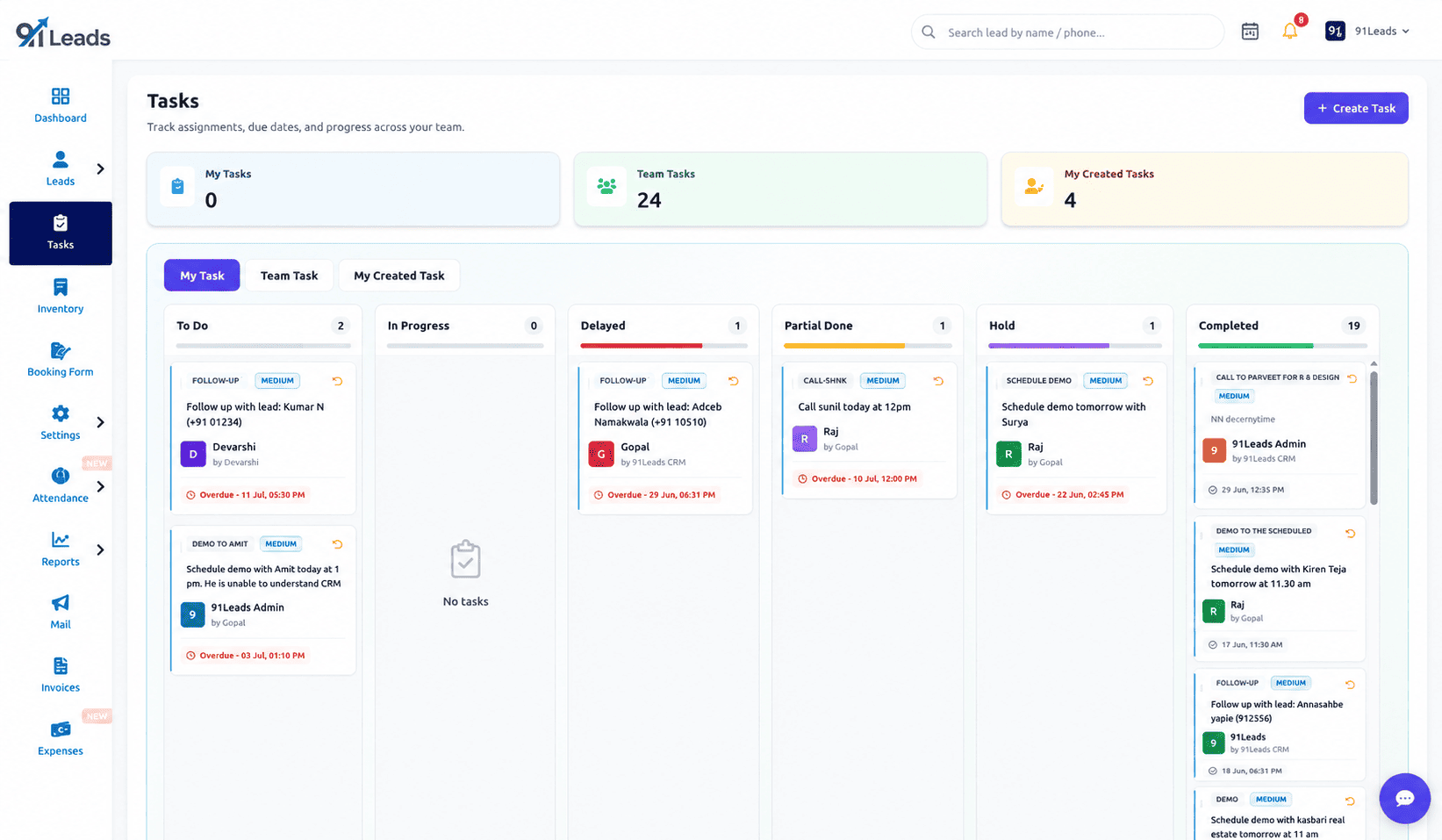
Every task has a clear owner. Assign work to teammates, track what you created, and keep accountability without chasing updates in chat.
Priorities That Stand Out
Mark tasks Low, Medium, High or Urgent so the most important follow-ups rise to the top and get done first.
Status Pipeline Board
Move work through To Do, In Progress, Delayed, Partial Done, Hold and Completed so progress is visible at a glance.
Due Dates That Keep Work Moving
Set a due date on every important task so callbacks and commitments happen on time, not after the lead has gone cold.
Assignment Notifications
When a task is assigned or updated, the right person is notified so work starts quickly and nothing waits unnoticed.
Full Task History
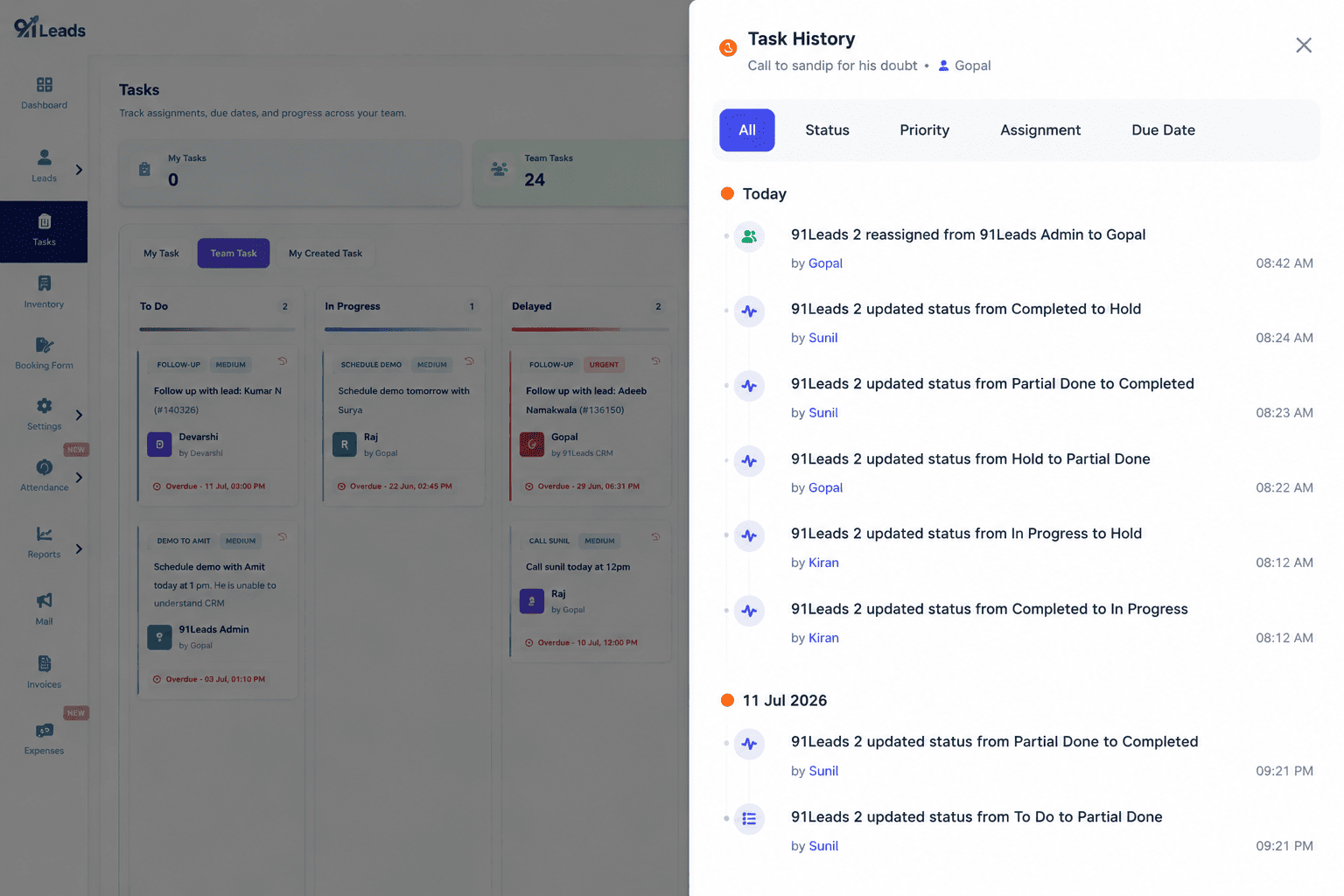
See when a task was created, reassigned or updated. Managers get clarity without interrupting the team for status checks.
Why Effective Task Management Matters?
Deals are won by consistent follow-up. When every action has an owner and a deadline, your team responds faster, drops fewer leads, and closes more without working longer hours.
Faster follow-ups
Clear owners and due dates mean callbacks happen while the prospect is still interested.
Nothing slips through
Every promised action is tracked in the CRM, so site visits, documents and reminders are not forgotten.
Better team coordination
Managers see workload and progress in one place instead of asking each person for updates.
More deals closed
When follow-ups stay on time and priorities stay clear, more conversations turn into customers.
Task Management FAQs
Common questions about managing sales tasks and follow-ups in 91Leads CRM.
Task Management in 91Leads CRM is a built-in workspace where you create tasks, assign them to team members, set priority and due dates, and track progress through statuses like To Do, In Progress, Delayed, Hold and Completed. Your whole team can see what needs to be done next without relying on chats or sticky notes.
Yes. You can create a task and assign it to any teammate. They get notified, see it under My Tasks, and can update the status as they work. You can also track tasks you created and, with the right access, view team tasks.
Statuses include To Do, In Progress, Delayed, Partial Done, Hold and Completed. Priorities include Low, Medium, High and Urgent, so urgent follow-ups stand out and nothing important gets buried.
Yes. Every important change is logged in task history, so managers and teammates can see when a task was created, reassigned, or updated, without chasing people for status updates.
Yes. Sales teams use it for callbacks, site visits, document collection, quotation follow-ups and other action items. Due dates and priorities keep follow-ups on time so leads stay warm.
Yes. Start with a 7-day free trial, create a few real tasks for your team, and see how much clearer daily work becomes inside 91Leads CRM.
Give Every Follow-Up a Clear Owner
Create tasks, assign your team, track priorities and due dates, and keep sales work moving inside 91Leads. Try it free for 7 days.