Lead Assignment Software That Sends Every Lead to the Right Person
Stop deciding who gets which lead by hand. Set your assignment preferences once and 91Leads auto-assigns every new lead the moment it arrives, by Round Robin, Source, Location or Product.

Auto Lead Assignment, Built Into Your CRM
When leads pile up, the slowest part is often deciding who should call them. 91Leads removes that step completely. You set your rules in Assignment Preferences, and from then on every lead, from every source, is handed to the right team member automatically, ready for follow-up.
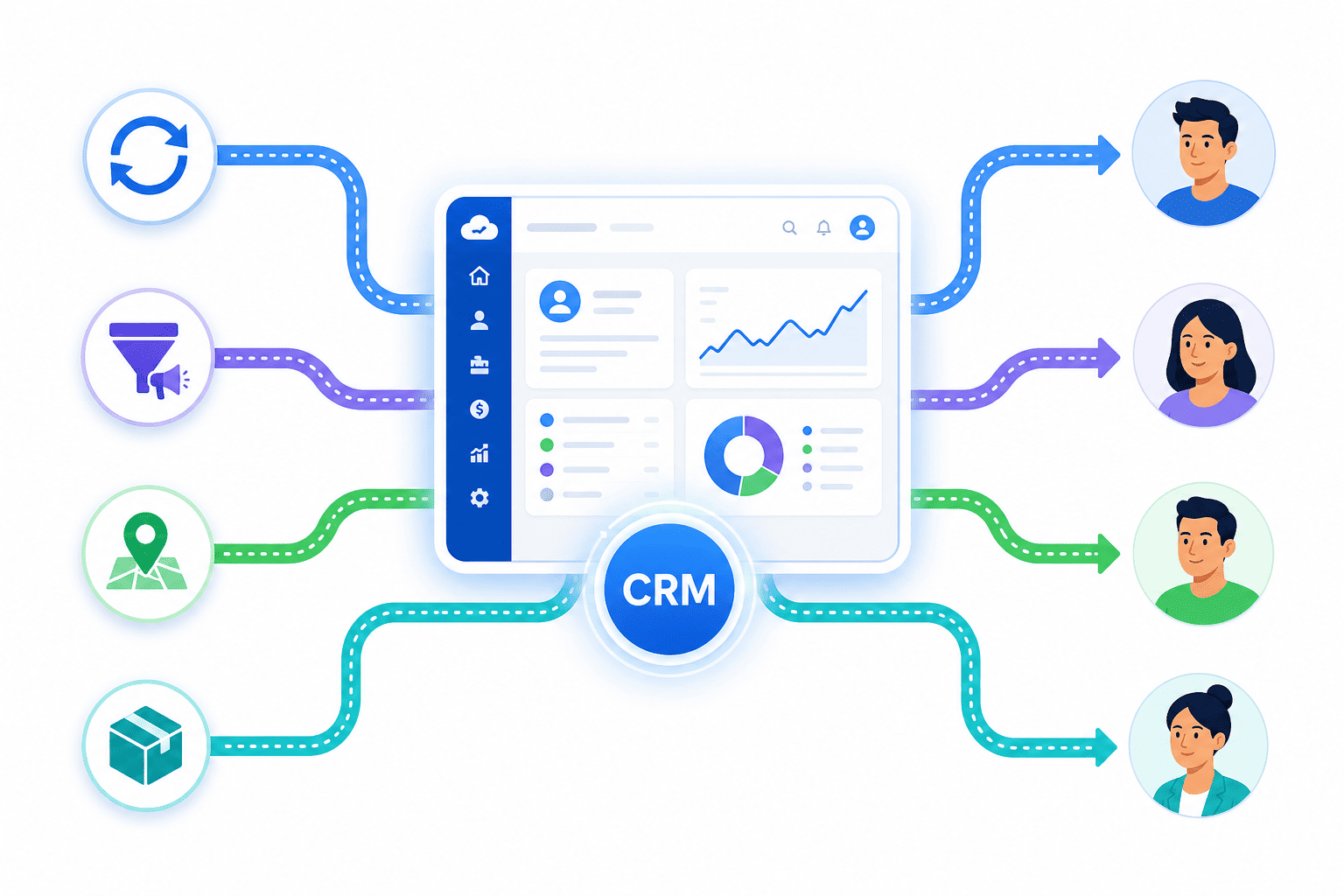
1. Set your rules
In Assignment Preferences, choose how leads should be distributed: Round Robin, Source, Location or Product.
2. Leads auto-assign
Every new lead from any source is instantly assigned to the right team member, no manual sharing.
3. Team follows up
The assigned person sees the lead right away and starts following up while it is still warm.
Four Ways to Assign Leads Automatically
Every team works differently. 91Leads gives you four assignment preferences so leads always reach the person best placed to convert them. Use one, or combine them to fit your process.
Round Robin
Distribute leads evenly across your team in turns. Pick who should be in the rotation and 91Leads passes each new lead to the next person, so the workload stays balanced and fair and no lead waits to be claimed.
Source Wise
Assign leads based on where they come from. Send Facebook leads to one team, website or widget leads to another, and so on, so the people who know each channel best handle those leads.
Location Based
Route leads by state, city or area to the right local team member. Perfect when your sales people own specific regions, so customers always talk to someone who knows their location.
Product Based
Assign leads by the product or project they are interested in. Each enquiry reaches the specialist for that product, so prospects get accurate answers and a faster, more confident response.
Manual Assignment Whenever You Need It
Auto assignment takes care of the day-to-day, but you are always in control. An admin can assign or reassign any lead manually from the Leads panel, so a specific lead can always go to a specific person when it matters.
Why Smart Lead Assignment Wins More Deals
The fastest follow-up usually wins the customer. When leads are assigned the instant they arrive, your team responds sooner, shares the load fairly, and closes more.

Respond in minutes, not hours
Leads land with the right person instantly, so follow-up starts while the prospect is still interested.
Fair, balanced workload
Round Robin spreads leads evenly, so no one is overloaded and no one sits idle.
Right lead, right expert
Source, Location and Product rules send each lead to the person best placed to convert it.
No lead left behind
Every lead has a clear owner from the start, so nothing slips through the cracks.
Lead Assignment Software FAQs
Common questions about automatic lead assignment and distribution in 91Leads CRM.
Lead assignment software automatically decides which team member should handle each new lead and assigns it to them instantly. In 91Leads, you set your assignment preferences once and every lead that comes in, from any source, is routed to the right person without anyone having to share it manually.
91Leads supports four assignment preferences: Round Robin (distribute leads evenly across your team in turns), Source Wise (assign by where the lead came from), Location Based (assign by state, city or area), and Product Based (assign by the product or project the lead is interested in). You can combine these rules to match how your team actually works.
Yes. Whether a lead comes from Facebook, your website widget, Google Sheets, a landing page, an import or any other source, your assignment rules apply the moment it lands in 91Leads, so it reaches the right team member right away.
Yes. Auto assignment handles the day-to-day, but an admin can always assign or reassign any lead manually from the Leads panel whenever a specific lead needs a specific person.
With Round Robin, you pick the team members who should receive leads and 91Leads distributes incoming leads among them one after another in turns. This keeps the workload balanced and fair, so no single person is overloaded and no lead waits for someone to claim it.
Yes. As soon as a lead is assigned, the team member can see it in their list and start following up. With timely follow-up reminders, leads are contacted while they are still warm.
Put Every Lead in the Right Hands, Automatically
Set up Round Robin, Source, Location and Product rules in minutes and let 91Leads assign every lead for you. Try it free for 7 days.