Inventory Management Software for Small Businesses
Create listings, track what is available, download records, share on WhatsApp, send a public link anywhere, and generate PNG images your buyers can open in seconds, all inside 91Leads.
What is Inventory Management in 91Leads CRM?
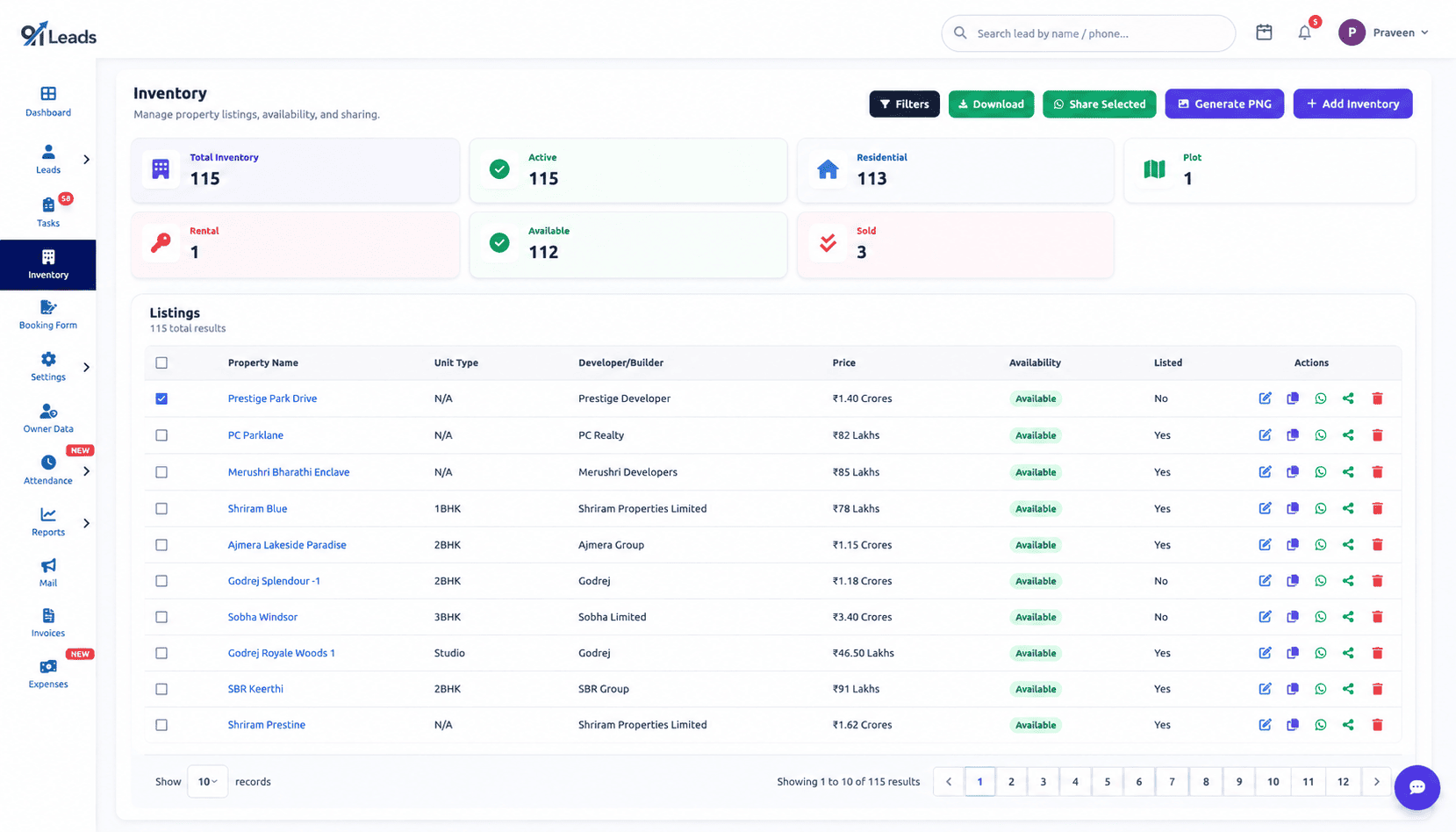
Inventory Management in 91Leads keeps every listing in one place: project, unit details, price, availability and photos. Create once, update when things change, and share the right unit in a tap.
1. Create inventory
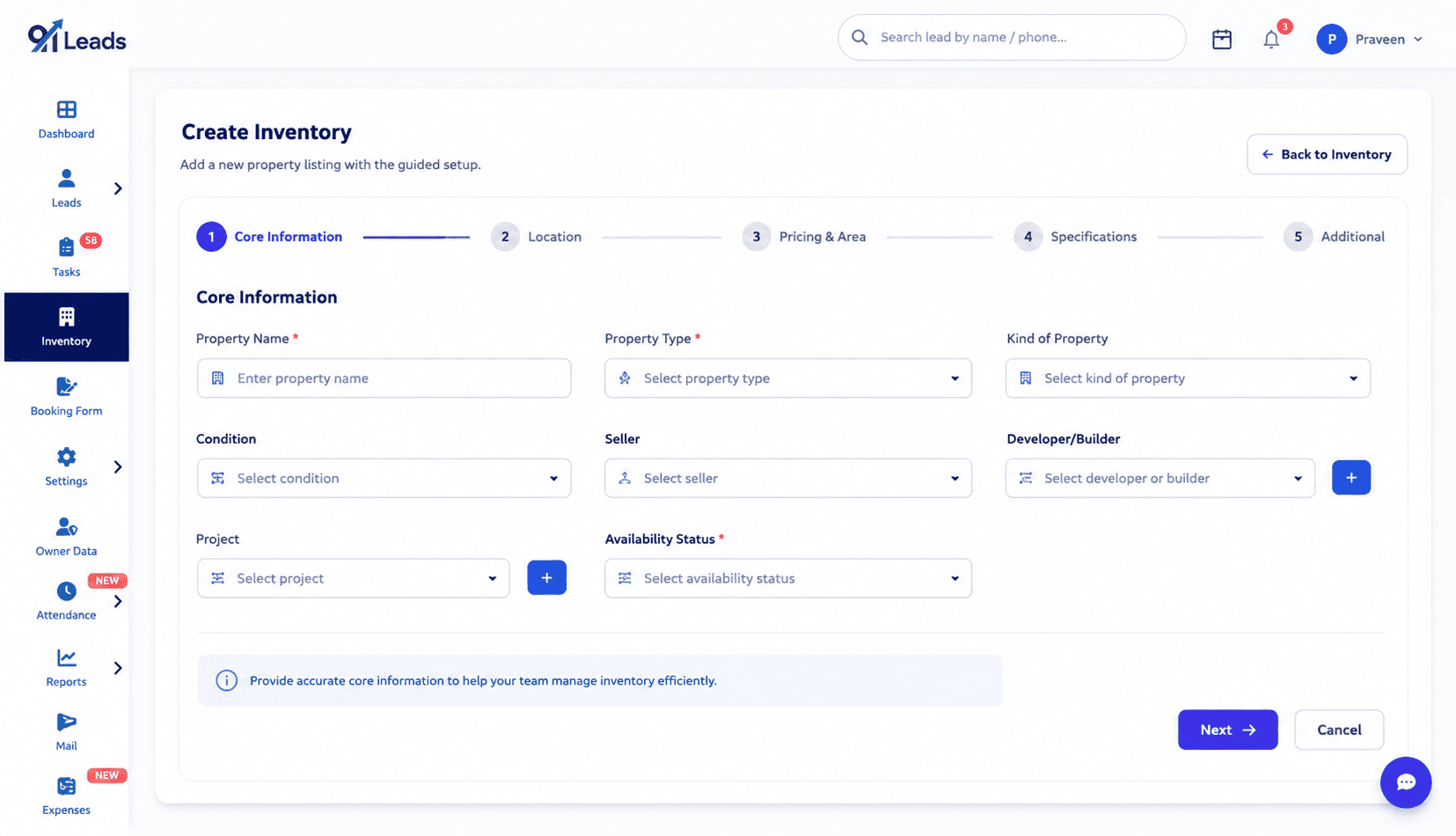
Add a listing with location, pricing, area, specs and photos through a simple guided form.
2. Share anywhere
Send on WhatsApp, copy a public link for social media, or generate a PNG image to forward.
3. Keep stock current
Update availability, copy similar units, download CSV reports, or delete listings you no longer need.
Inventory Features Built for Everyday Selling
These are the actions your team already uses inside 91Leads, explained in plain language, the way you actually work with buyers and channel partners.
Create Inventory
Add a new listing in a guided flow: core details, location, pricing and area, specifications, then extras like amenities, RERA and photos. Capture tower, floor, unit, BHK, facing, furnishing and availability so your team never guesses from memory.
Download Inventory
Export your current filtered list as a CSV file whenever you need a report, backup or offline sheet. Apply filters first, then download only what matters by project, city, availability or price range.
Share on WhatsApp
One tap opens WhatsApp with a clean property message covering project, BHK, facing, floor, area, furnishing, price and location. Share a single listing, or select a few and send them together to a buyer or CP.
Copy Public URL & Share Anywhere
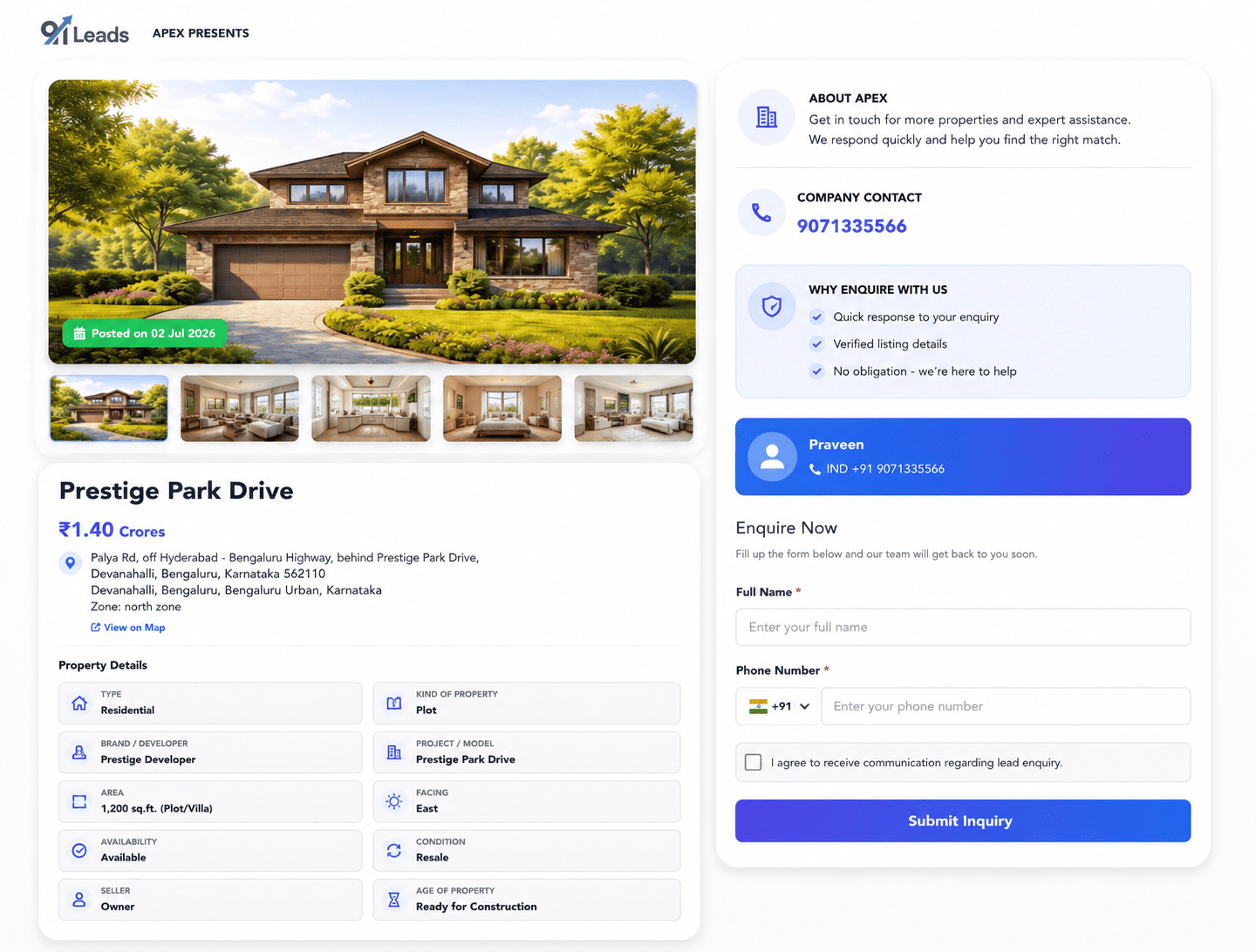
Every active listing can get a public share link. Copy it and paste on Instagram, Facebook, Telegram or any chat. Buyers open a branded page with photos and details, and can enquire. That enquiry becomes a lead in your CRM.
Copy Inventory
Have three similar flats in the same project? Duplicate an existing listing, tweak the floor or unit number, and save. You skip retyping the same specs every time and keep inventory growing without the busywork.
Generate PNG Image to Share
Select listings and generate a polished PNG with company branding and key details. Perfect for WhatsApp groups, status updates or sending options to a channel partner when a link is not enough. Up to five listings fit in one image.
Delete Inventory
Sold, withdrawn or entered by mistake? Delete the listing and its photos so your team only works with current stock. A confirmation step helps avoid accidental removals.
Track Availability & Find Faster
Mark units Available, Booked, Sold, Reserved or Hold. Filter by developer, project, city, unit type and price so you pull the right option while you are still on the call with a buyer.
Why Inventory Management Matters for Growing Teams
When listings live in one CRM, your team answers faster, shares the right unit, and stops losing deals because someone had the wrong price or an outdated sheet.
Share options in seconds
WhatsApp messages, public links and PNG images mean buyers get clear options while interest is still high.
Know what is actually available
Availability statuses and filters stop your team from promising a unit that was already booked.
Public links create leads
When someone enquires from a shared inventory page, that interest lands in your CRM as a lead ready for follow-up.
Less rework, more selling
Copy inventory for similar units and download CSV when you need reports, without rebuilding everything in Excel.
Inventory Management FAQs
It is the inventory module inside 91Leads where you create property listings, track availability, download records, share units on WhatsApp, copy a public link for social media, duplicate or delete listings, and generate PNG images to share with buyers or channel partners.
Yes. From the inventory list or a single listing, you can share a clean, ready-to-send property message on WhatsApp. You can also select multiple listings and share them together.
Yes. Every active listing can get a public share URL. Copy the link and send it on WhatsApp, Instagram, Facebook or anywhere else. Buyers see photos and details, and can enquire without logging in. That enquiry becomes a lead in your CRM.
Yes. With download permission, you can export your filtered inventory list as a CSV file for reports, backups or offline work.
Select one or more listings and generate a shareable PNG image with key property details. It is handy for WhatsApp groups, channel partners and quick offline sharing. Up to five listings can go into one image.
Yes. Start with a 7-day free trial, add a few listings, try WhatsApp share and public links, and see how much easier inventory becomes inside 91Leads CRM.
Keep Every Listing Ready to Share
Create inventory, download reports, share on WhatsApp, send public links, generate PNG images, and keep stock current inside 91Leads. Try it free for 7 days.