Built into 91Leads CRM
Expense Management Software
Record, approve, and track business expenses in one place. Get complete visibility into employee spending, reimbursements, and monthly expense reports without spreadsheets.
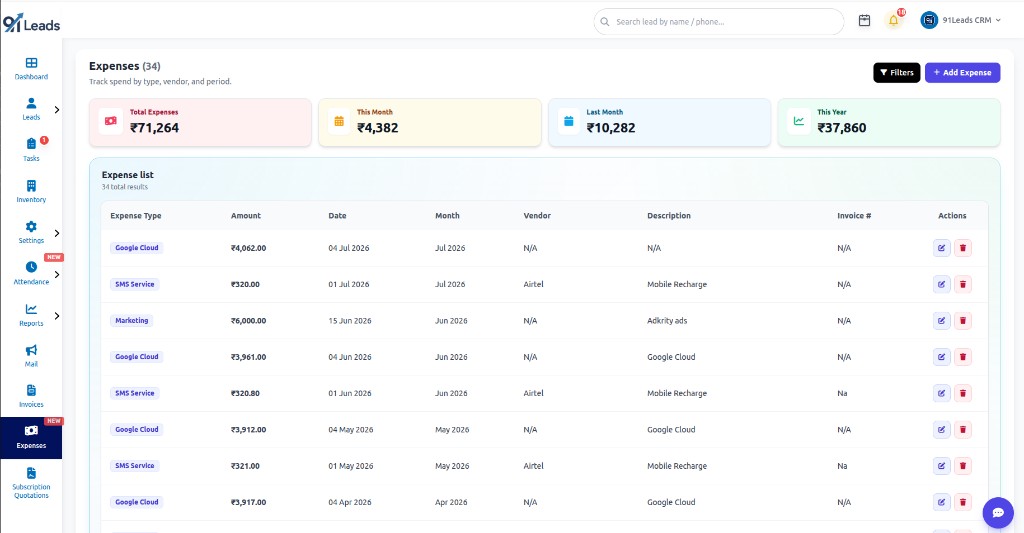
Total visibility
See all-time spend in one card
This month
Monitor current-period costs
Last month
Compare previous month totals
This year
Year-to-date expense view
Business expense management without spreadsheets
91Leads is an expense management system that sits next to your leads, invoices, and team workflows, so spend tracking does not live in a forgotten Excel file.
Expense types & vendors
Tag spends like Google Cloud, SMS, marketing, or recharge, and record vendors for cleaner business expense management.
Period-wise tracking
Filter and review expenses by date and month so your expense tracking software always answers “how much did we spend?”
Invoice & receipt refs
Store invoice numbers and descriptions to support employee expense management and reimbursement follow-ups.
Instant summaries
Total, this month, last month, and this year cards keep leadership aligned without waiting for a manual report.
Edit anytime
Update amount, type, vendor, or notes when a bill changes, and keep your expense reimbursement software records accurate.
Works inside CRM
One login for leads, invoices, attendance, and expenses, with less tool hopping for small Indian businesses.
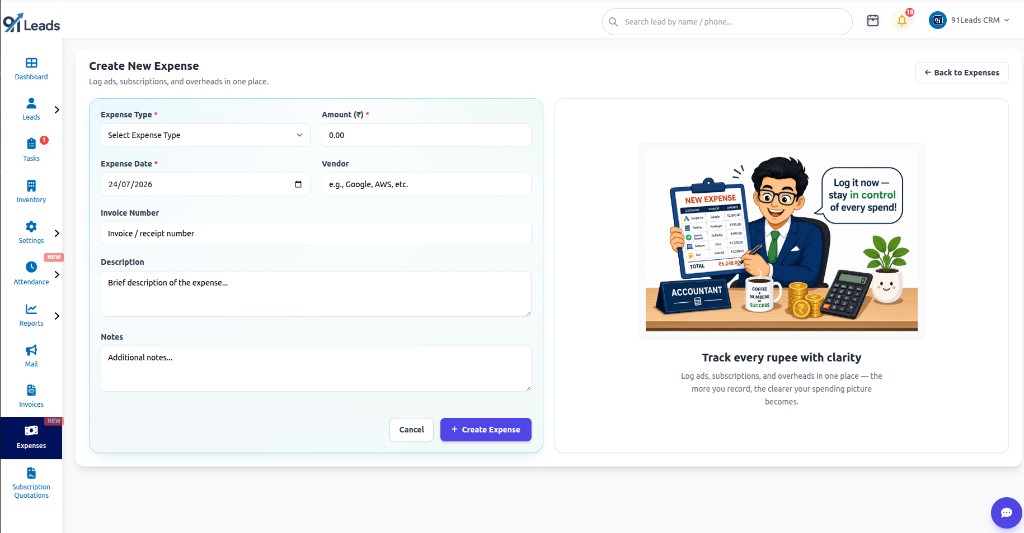
Log every spend in under a minute
Create expenses with type, amount (₹), date, vendor, invoice number, description, and notes. Ideal for ads, subscriptions, SMS, cloud tools, and day-to-day overheads.
- Required fields keep records complete
- Vendor + invoice # for audit-friendly trails
- Notes for reimbursement context
Find any expense in seconds with smart filters
The Expense Filter panel helps you cut through long lists: search, narrow by type or month, and slice by custom date ranges without exporting to Excel.
Universal keyword search
Search across description, vendor name, and invoice number in one box to pull matching spends instantly.
Filter by expense type
Narrow results to a category such as marketing, SMS, cloud, or recharge, so category reports stay focused.
Month filter
Jump to a specific month to review monthly expense reports and compare spending against targets.
Custom date range
Set From and To dates (dd/mm/yyyy) for quarter closes, campaign windows, or reimbursement cycles.
Vendor-only search
Isolate spends for a supplier (Google, Airtel, AWS, etc.) when you need vendor-wise visibility or reconciliation.
Apply in one click
Combine search, type, month, date range, and vendor, then hit Filter to refresh the expense list immediately.
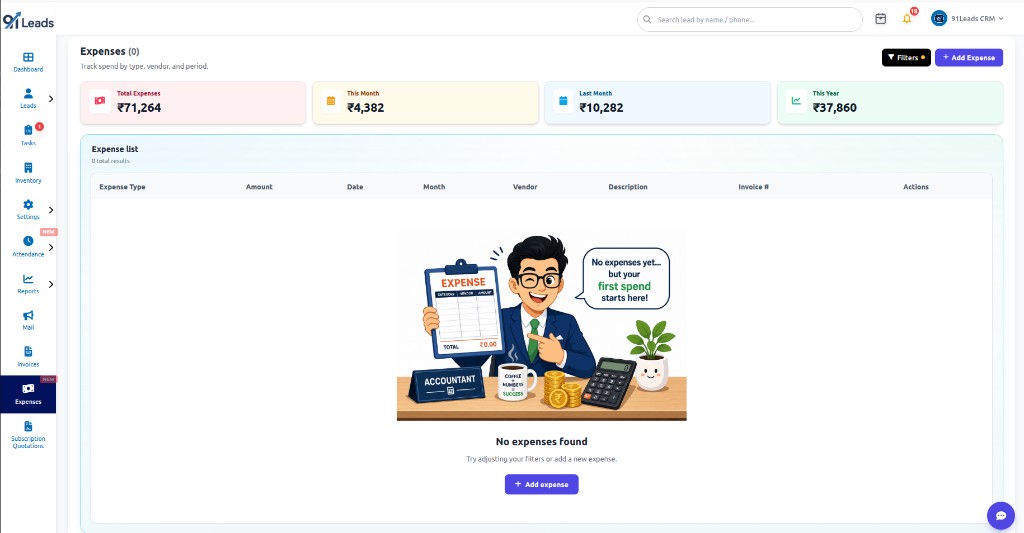
Start clean and grow a clear spending picture
New teams begin with an empty expense list and build clarity as they record each spend. The more you log, the sharper your business expense management becomes for planning and reimbursements.
Who uses 91Leads Expense Management Software?
Founders, ops managers, and sales-led teams that need lightweight employee expense management and expense reimbursement software workflows, without buying a heavy finance suite.
Frequently Asked Questions
Find answers to common questions about Expense Management Software
Expense Management Software helps you record, categorize, and review business spending so you always know totals by type, vendor, and period.
An expense management system captures each spend with amount, date, vendor, description, and invoice details, replacing scattered chats and spreadsheets.
Yes. You get summary cards for total, this month, last month, and this year, plus a searchable expense list with filters and edit actions.
Yes. Log employee-related spends with vendor, invoice number, and notes so reimbursements stay organized inside the same CRM your team already uses.
Add an expense with type, amount, date, vendor, invoice number, and description. Summaries update so you can track spend without maintaining a separate sheet.
You can record reimbursable spends with clear descriptions and invoice references, then review them by month or vendor when settling reimbursements.
Yes. Start a 7-day free trial, open Expenses, add sample spends, and explore summaries before you subscribe.
Track every rupee with 91Leads Expense Management Software
Expense tracking software, business expense management, and CRM follow-ups in one affordable platform.